This is the first article in a longer series on testing password managers for organisations.
I’m looking for a new password manager for a smaller team. While I will start focusing on open source and EU based alternatives neither are strong requirements.
Conclusions
While it looked promising from the start, backend by a well funded company that has been around for 10+ years I ran in to so many problems that I stopped trying.
The main issue was not lack of features (I never got to that part) but rather that the UX was really bad and I ran into issues which prevented me from completing my testing.
Below I have documented my attempt at creating an account, logging in on another browser profile and on the iOS app.
While this write-up is a bit rant-y I think the team behind passkey seem like good people and I hope they succeed. So I wanted to document the issues I ran in-to and provide suggested fixes. Hopefully someone from the team will see this.
Getting started
So I signed up for a seven day trial without giving a credit card. Great. I get a sign-up email and it does not work.
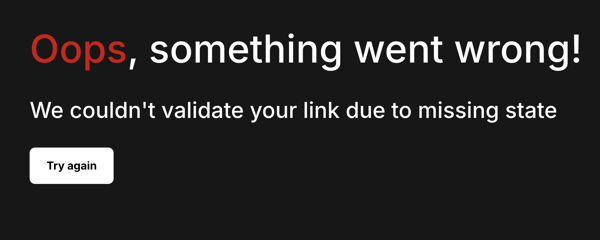
Not sure why, maybe because I tried to copy the link manually. Upon later inspection I noticed that apparently the link they provide for you to manually copy is not the same as the one behind the “Get Started!” button.
No matter, I do another round of “Get Started” and this time I click the “Get Started!” button and set things up.
Security Token
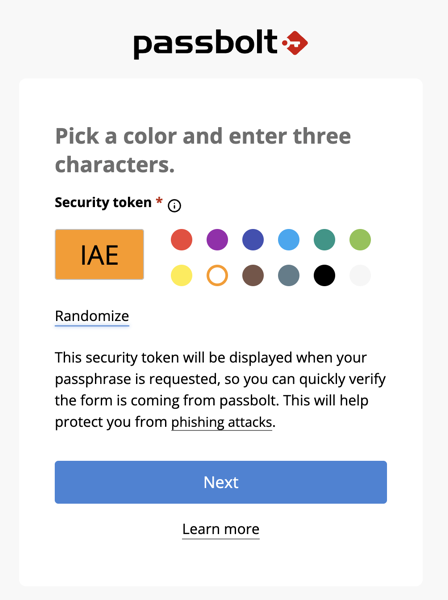
Passbolt has a interesting idea with something they call “Security Token” which is a nice additional “what you know” thing which adds a three letter secret and a colour of your choice to your password field. This is designed to make it harder for phishing to fool you as they shouldn’t know this so any fake password prompt will not have the right colour. Interesting idea, but a bit confusing.
If it’s actually useful or not is another discussion, I would assume that while some might react if they are prompted to enter their passbolt login and it is the wrong colour they react, but if it’s just plain white like 99% of all other websites out there they wouldn’t think twice.
Browser Extension
There is no native app for Mac so I will need to use the browser extension.
The browser extension install is quite slick.
If the initial setup was slick, this is the opposite. First you are told you need to look up the unique url from a email to be able to login. Then you are sent to a “Register”
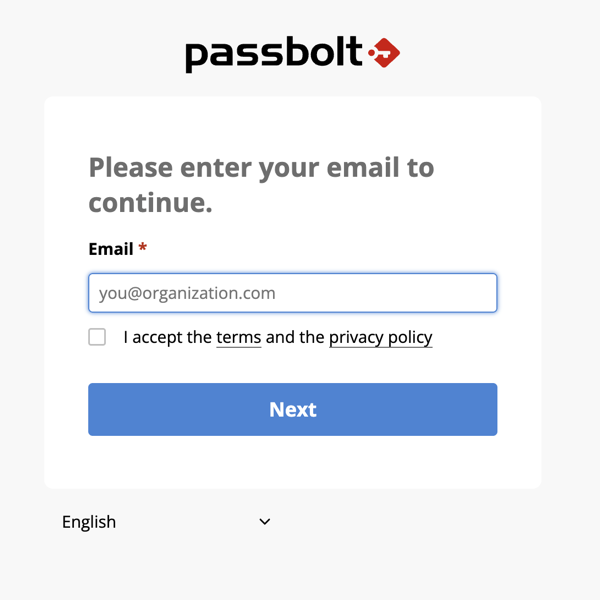
fix: allow people to enter their email and emailed a list of orgs they are linked to, this solves step 2 in the chain at the same time. There might be some confusion with self-hosted instances being on different domains but that can be worked around.
This puts you into the recover account workflow.
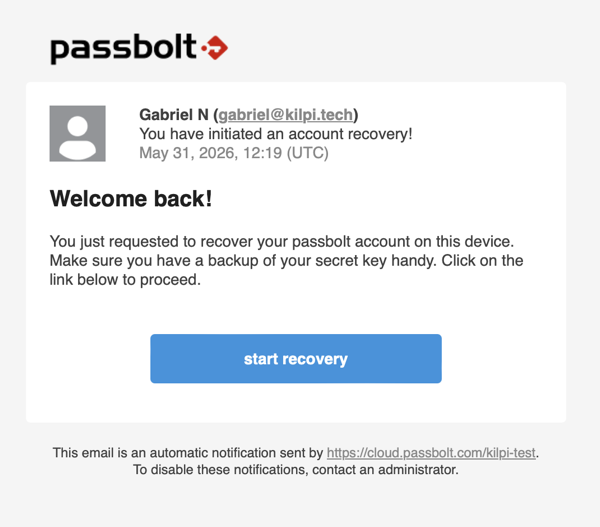
Fix: why is this account recovery? I’m not trying to to recover my account just log in on another device/browser. I understand reusing the recovery workflow but I think it’s confusing.
Now you need your secret key. Here you will loose 99% of everyone except your most technical users. Most people will enter their password (the only secret they have been exposed to so far) only to be met with this even more confusing message “The key should be a valid openpgp armored key string.”.
fix: I understand that we want to keep a client-secret but a full GPG key is the least user friendly choice here. Something akin to 1Passwords secret key is much better.
Ok, so now I’m sufficiently technical that I can figure out what it’s looking for, go dig up the secret key, download it, and leave it in my downloads folder forever like everyone. Thus massively increasing the risk someone can steal it in the future.
So I try and drag it to the webpage and of course that does not work. So I manually select it with the file-picker.
Fix: add a droppable field
After that I am prompted for my password. And then I get to pick another Security Token (what the heck? Wasn’t the idea that it would be a secret I know, is it only tied to one browser?).
Fix: the security token is a good idea but not if it’s different on each device/profile
Either way, after picking a new security token I am now logged in.
Mobile App
The mobile app setup looked much more promising compared to setting up another browser profile/desktop. It involves opening a “Mobile Setup” view in the extension which gives you a QR code to scan.
That part seemed to work fine, and I am prompted to enter my password. Then I get “Server and client time is out of sync, please contact your administrator.”
I have not been able to figure out what is wrong, I am using their cloud instance so I don’t think the problem is on my side.
fix: I guess fix whatever is causing this? :-)
End rant
But Gabriel, Passbolt is open source, stop whining and just contribute.
Yes passbolt is open source, from a well funded for-profit company. I want them to succeed and I’m contributing by documenting what isn’t working.
The passbolt people seem to know their stuff security wise, but security must be easy to use.